Odd Machines & Useful Toys

Hardware Objects, Spatial Tools, and Audio-Visual Instruments

Working at Google Creative Lab means I get to play with new tools every day, but the part I love most is seeing what happens when you take them outside the chat box. I don’t know much about coding, and I didn’t write a single line of code for any of the projects below. All I had was an idea or a specific itch to scratch, and I used Google Antigravity, Gemini, and AI Studio to do the wiring and coding until the thing in my head actually worked.

Role: Concept, 3D / Visual Design & Direction.
001. SongViz

E-Ink Liner Notes for Sonos

Streaming music on Sonos is effortless, but you lose the best ritual of vinyl: picking up the sleeve to read who actually wrote the song, who produced it, and what label put it out. I wanted a calm, physical object sitting next to the speaker that brings those liner notes back without adding another glowing LCD screen to the living room.

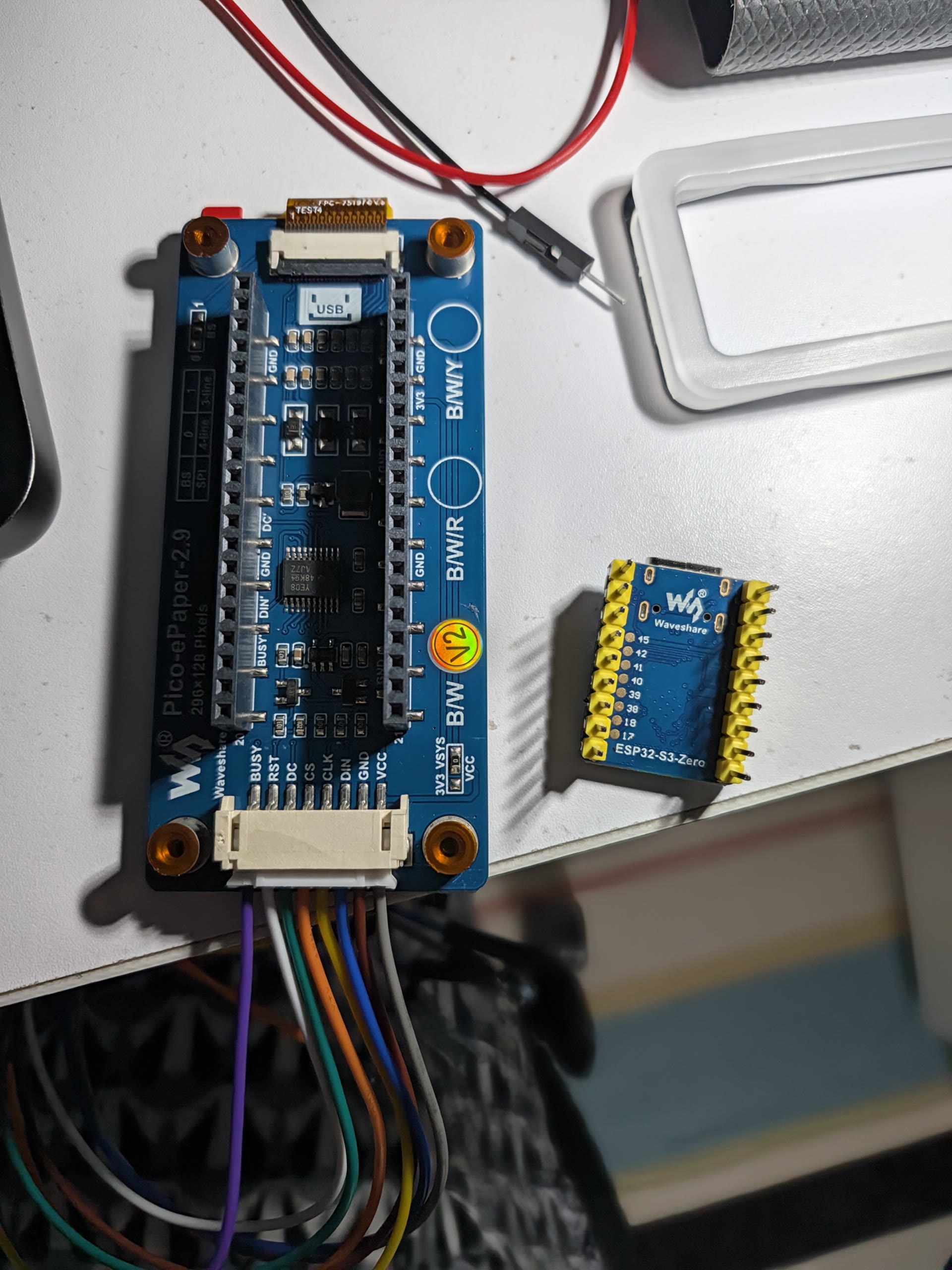
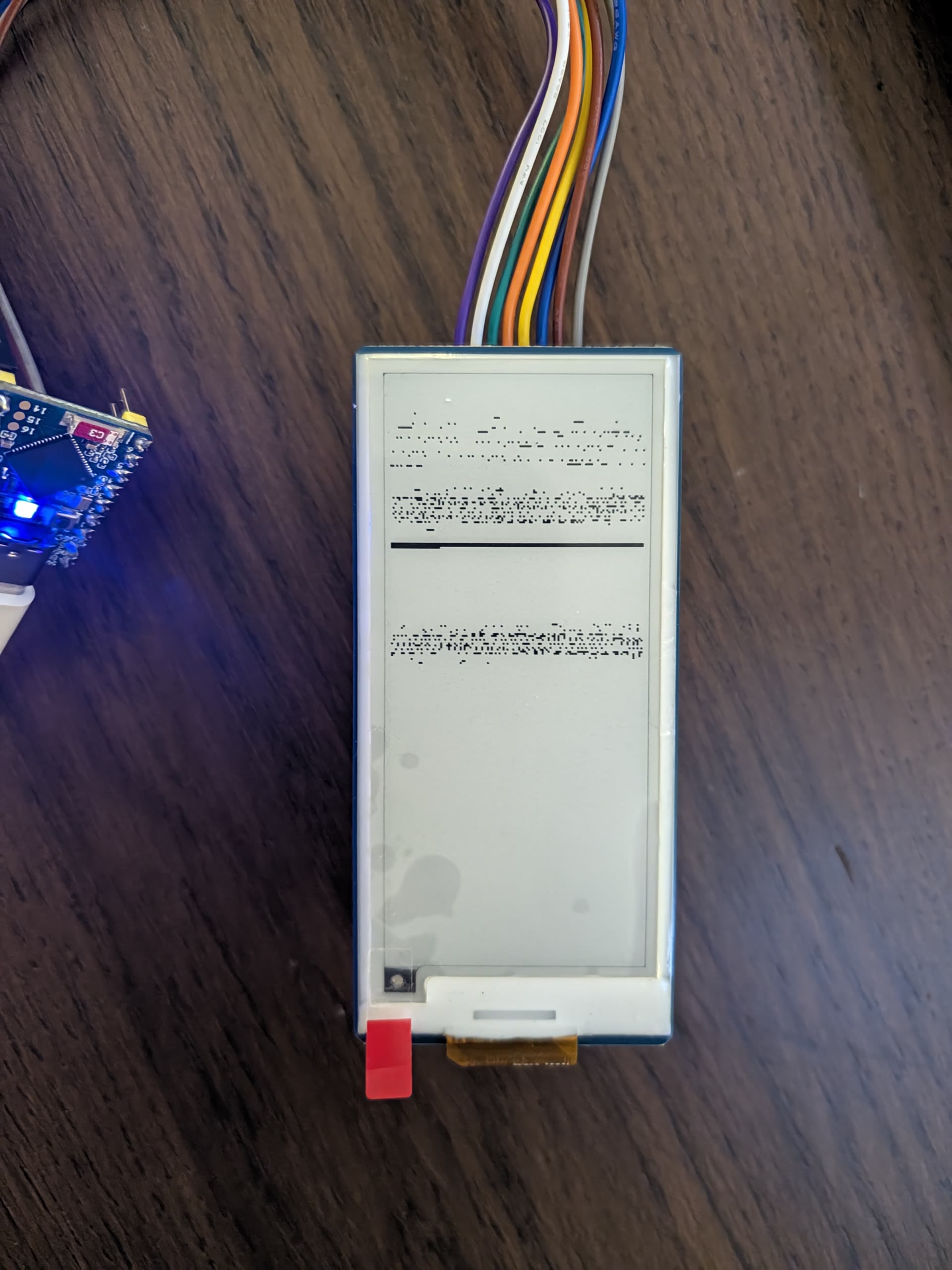
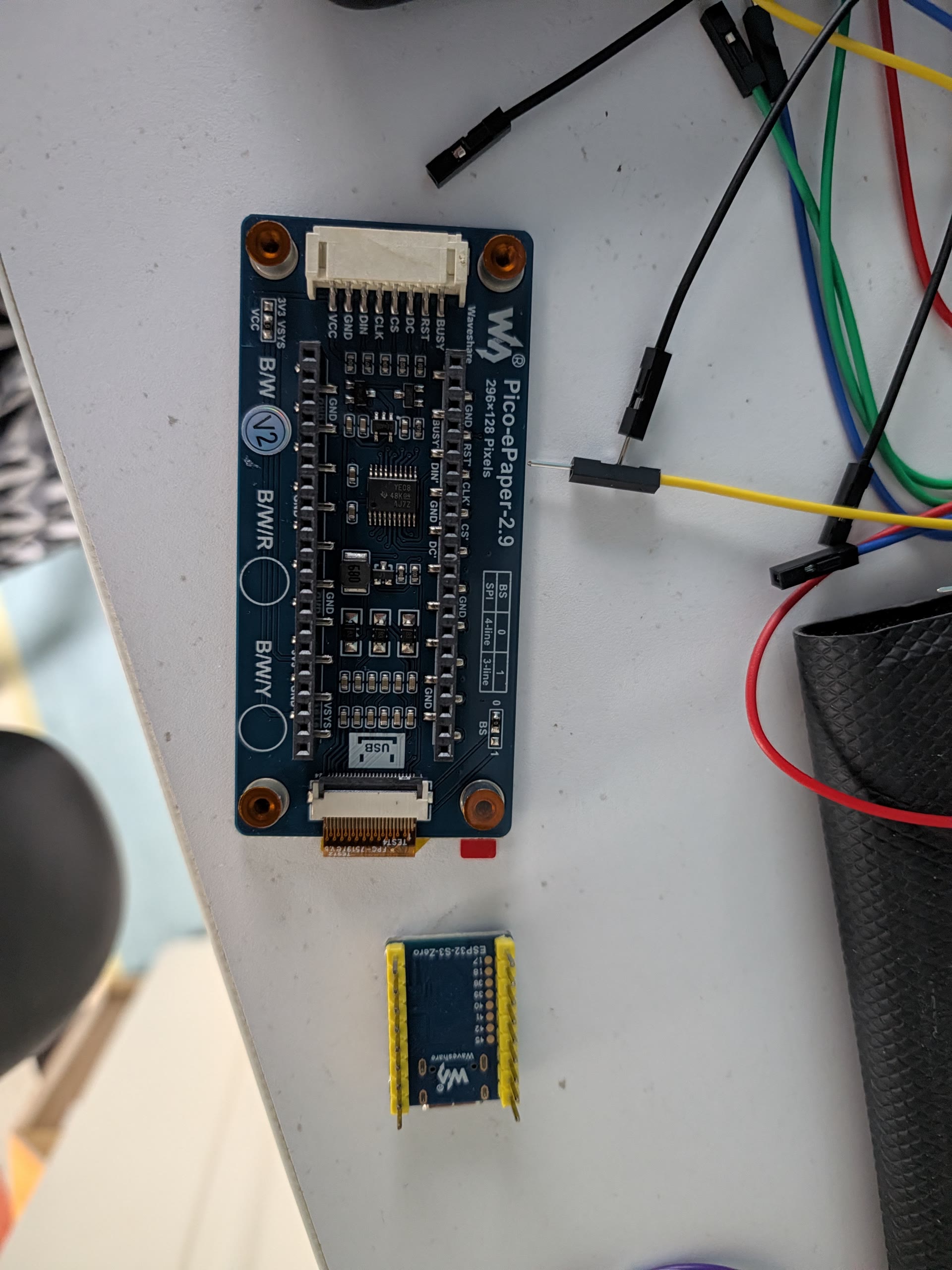
I bought a tiny 2.9-inch black-and-white e-ink screen and a postage-stamp microcontroller, and used Google Antigravity to walk me through wiring the pins together and getting it talking to our Sonos speaker over Wi-Fi. Whenever a song plays, it looks up the songwriters and record label and lays them out in a clean Swiss typographic grid. When the music stops, it turns into a little household screen showing the London weather forecast and custom pixel icons that remind us which Hackney council bins need to go out after 6 PM.

01. The parts: Waveshare 2.9″ Pico-ePaper module and an ESP32-S3-Zero microcontroller.

02. Breadboarding: Wiring the e-ink screen to the tiny microcontroller.

03. First boot glitch: Getting the screen orientation and layout working on the first test.

002. TrashDash

Making the Video Game I Always Wanted to Play

I’ve always wanted to make my own video game, even though I have zero game-programming experience. So over a weekend I modeled all the low-poly 3D apartment blocks, pine trees, airport-hangar garage, garbage trucks, and trash bags in Cinema 4D, and used Google Antigravity to turn my 3D models and game rules into a playable game, first in Godot, and then as a lightweight browser version you can play on your phone or laptop.

You drive a tiny garbage truck around an ever-expanding isometric neighbourhood, picking up trash bags and upgrading your truck at the hangar before the streets overflow. If you survive five neighbourhood expansions, glowing green Toxic Waste starts piling up at double speed.

Two playable versions: The lightweight browser version (~3.9 MB) loads almost instantly on desktop or mobile with an on-screen thumbstick, while the original Godot version (~40 MB) is also live to compare.

003. Rotate Anything

Street View to Multi-Angle Architectural Views

I often need to see what a building looks like from another angle when scouting or designing, so I put together Rotate Anything in Google AI Studio. You give it a single flat photo of a building (or pull one straight from Google Street View) and it generates matching 45° and 135° angled views.

The trick was getting the building to keep its real proportions instead of hallucinating extra floors. So I set it up to first count the floors and windows from the front photo, generate the 45° angle, and then use that new 45° view as the reference to turn the corner all the way to 135°.

004. Synesthesia Sequencer

Turning Photos into Drum Machines & Synth Loops

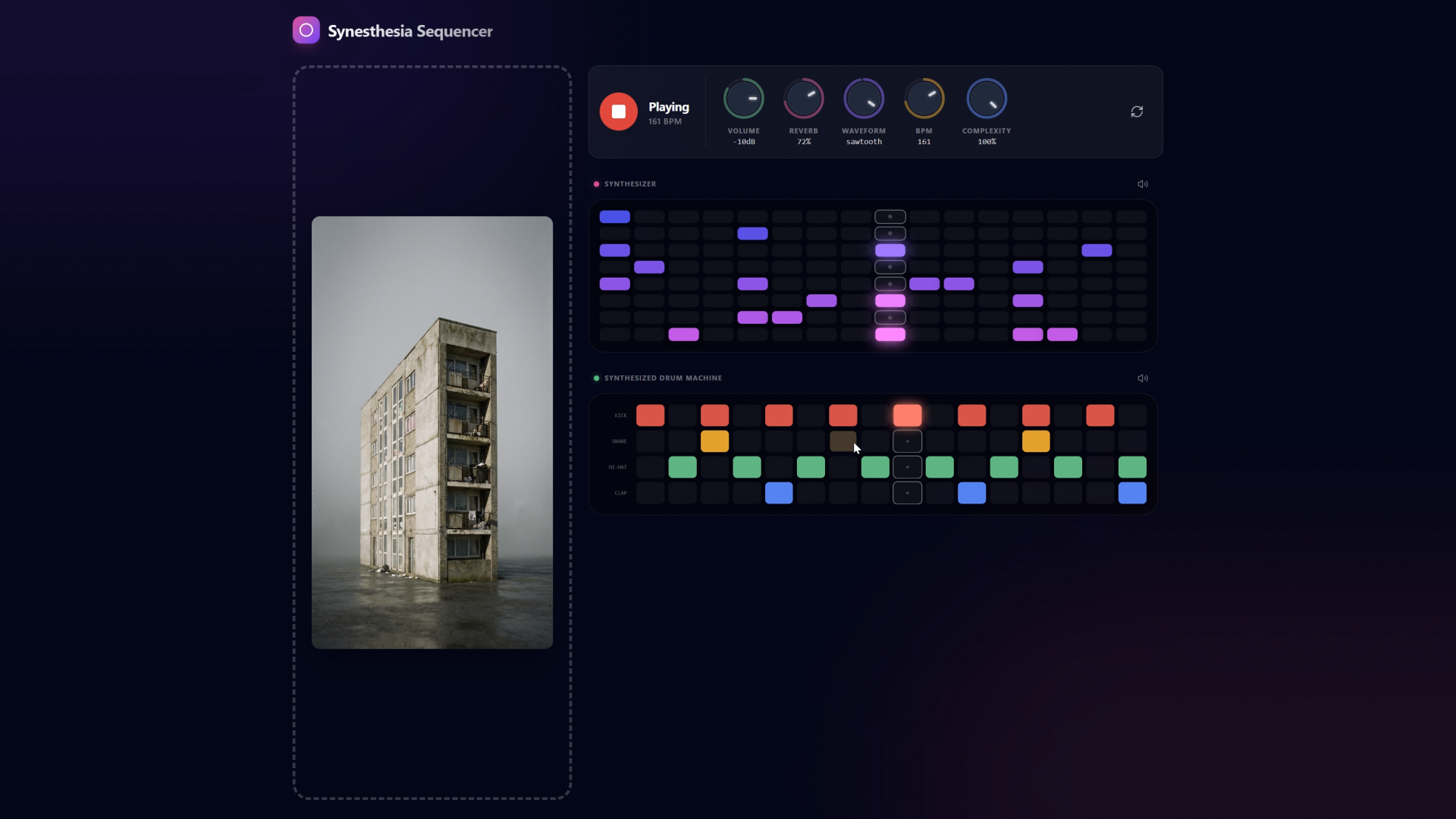
I wanted to see what a photograph would sound like if you plugged it into a drum machine. Drop any image into the Synesthesia Sequencer and Gemini looks at the colours, contrast, and mood of the shot to write a live synth melody and 808 drum pattern on the spot: an upbeat groove for a sunny street photo, or something slow and moody for a night shot.

I built the interface in AI Studio so you can play with it like a real instrument: twist the Complexity Knob to make the beat busier or sparser, or click the steps on the grid to tweak the notes yourself.

005. Berlusclock

Kinetic Video Mosaic Clock

Berlusclock started as an absurd idea: what if a clock ticked using 1-second cuts from Silvio Berlusconi’s very first TikTok?

Every second, it cuts between a pool of 1-second “tick” and “tock” clips. The background turns the video into a dark pixelated mosaic, while the big digital numbers and sweeping second hand act like a stencil that reveals the sharp video underneath. Tap anywhere on the clock to freeze the frame.

Launch Berlusclock Fullscreen ↗